
Download Sport Shirt - Design A Shirt – custom sports t-shirts, t-shirt design tool, personalize t-shirt, sports apparel, custom shirt maker, design t-shirt app, create sports shirt, personalized clothing, t-shirt maker for Android, t-shirt customization
Overview
Sport Shirt - Design A Shirt is a mobile application designed for Android users seeking a simple and creative way to design personalized sports-themed T-shirts. The app serves as a digital canvas for hobbyists, casual designers, and individuals interested in custom apparel, enabling them to bring their unique ideas to life with minimal effort. It targets users who want to create custom shirts for sports teams, personal gifts, or special events without requiring professional design skills.
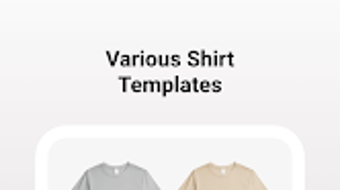
The software offers a library of T-shirt templates in various colors, suitable for both men and women, allowing users to choose a base design that matches their vision. With an intuitive interface, the app ensures a smooth experience across all skill levels, from beginners to those exploring digital design for the first time. The primary purpose is to streamline the process of T-shirt customization, making it accessible and enjoyable for everyday users.
Real-world applications include designing team uniforms, birthday gifts, or themed apparel for festivals and gatherings. The app’s focus on simplicity and creativity makes it ideal for users who value personal expression through wearable art. While the developer did not provide additional background details, the app’s functionality is tailored toward lifestyle and creative expression, fitting within the broader category of mobile design utilities.
Key Features & Capabilities
- Custom T-Shirt Templates – A selection of pre-designed templates in multiple colors, suitable for different genders and styles, enabling users to start their design process quickly.
- Sticker Collection – An extensive library of stickers categorized into themes such as Sports, Surfing, Animal, Plant, and Retro, offering diverse visual elements to enhance designs.
- Sticker Customization – Users can add up to five stickers per design, adjusting size and position to achieve a balanced and personalized look.
- Design Saving & Sharing – Completed designs can be saved directly to the device’s photo album, facilitating easy sharing on social media or printing for physical use.
- Intuitive User Interface – A user-friendly layout designed for accessibility, allowing seamless navigation and operation without technical expertise.
These features collectively support a streamlined workflow, from concept to final output. For example, a user planning a birthday gift for a sports fan can select a template, add a favorite team logo from the Sports sticker category, resize it for prominence, and save the result instantly. Similarly, someone organizing a beach-themed party could use the Surfing and Plant stickers to craft a unique, themed shirt. The app’s focus on ease of use ensures that creative ideas are not hindered by technical complexity.
User Interface, Workflow & Performance
The user interface of Sport Shirt - Design A Shirt is structured around simplicity and visual clarity. The main screen displays available templates, with clear categorization and intuitive icons for navigation. Users can switch between templates and access the sticker library with minimal taps, reducing friction during the design process.
Workflow efficiency is enhanced by the app’s linear design path: select template → choose stickers → adjust placement → save. This straightforward sequence supports rapid iteration and experimentation. The app appears to be optimized for touch-based interaction, with responsive controls that react promptly to user input.
Performance observations are based on general software behavior patterns. The developer did not specify resource usage details, and exact CPU or RAM behavior was not provided. However, the app’s file size of 25.6 MB suggests a lightweight footprint, which typically correlates with efficient performance on modern Android devices. Stability is expected to be consistent given the app’s focused functionality and lack of complex background processes.
Compatibility & System Requirements
Sport Shirt - Design A Shirt is designed for the Android operating system, with version 1.2.5 as the current release. The application has a file size of 25.6 MB, indicating a compact installation that should fit comfortably on most Android devices.
Platform compatibility information is limited to Android, with no details provided on minimum Android version or hardware specifications. The developer did not specify exact system requirements, making it difficult to assess compatibility with older or low-end devices. Users are advised to check their device’s Android version and available storage before installation.
Installation is straightforward, as is typical for Android applications. The app is distributed through the Google Play Store, ensuring secure delivery and automatic update handling. While offline functionality is not explicitly mentioned, the core design features are likely available without an internet connection, given the local nature of image editing and saving.
Pros and Cons
Pros
- Free to download and use, making it accessible to a wide audience.
- Intuitive interface suitable for users of all skill levels.
- Wide variety of T-shirt templates and themed sticker collections.
- Efficient workflow with quick design and save options.
- Designs can be saved directly to the device’s photo album for easy sharing or printing.
Cons
- Sticker limit of five per design may restrict more complex creations.
- Limited information on system requirements and compatibility.
- No mention of cloud sync or export formats beyond photo saving.
- App is exclusive to Android, limiting cross-platform access.
- Exact performance data, such as RAM or CPU usage, was not provided.
FAQ Section
Is Sport Shirt - Design A Shirt available for iOS?
The app is currently available only for Android devices. There is no official release for iOS at this time.
Can I use the app without an internet connection?
While the app’s offline capabilities were not specified, core design functions are likely available without an internet connection, as the app focuses on local image editing and saving.
Are the stickers free to use?
Yes, the sticker collection is included in the free version of the app and can be used without additional charges.
How do I save my designs?
Completed designs can be saved directly to your mobile phone’s photo album for easy access, sharing, or printing.
Does the app support printing my custom T-shirt?
While the app does not include direct printing functionality, saved designs can be shared with print-on-demand services or printed locally using standard photo printing methods.
Final Thoughts
Sport Shirt - Design A Shirt delivers a focused and enjoyable experience for users interested in creating custom sports-themed apparel. Its user-friendly interface, combined with a diverse range of templates and themed stickers, makes it a compelling choice for hobbyists and casual designers. The app’s free pricing model enhances its appeal, removing financial barriers to creative expression.
While limitations such as the five-sticker cap and lack of detailed system requirements are notable, they do not significantly hinder the core functionality. The app is best suited for individuals seeking a simple, mobile-first solution for personalized clothing design. For those looking to craft unique gifts, team shirts, or fun wearable art, Sport Shirt - Design A Shirt provides a practical and accessible tool.
Download Sport Shirt - Design A Shirt now





.png)

